Download the Ablove App
1. Use it in your browser
The web version works on any phone, tablet or computer. Nothing to install. You can also add it to your home screen from your browser menu, and it will open like an app.
Open the web app2. Install the Android app
Version 1.1 for Android phones.
Download the Android app- Tap Download the Android app above.
- If Android asks for permission to install from your browser, allow it for this installation.
- If Play Protect offers to scan the app, let it finish, then follow the result shown.
- Open Ablove from your apps.
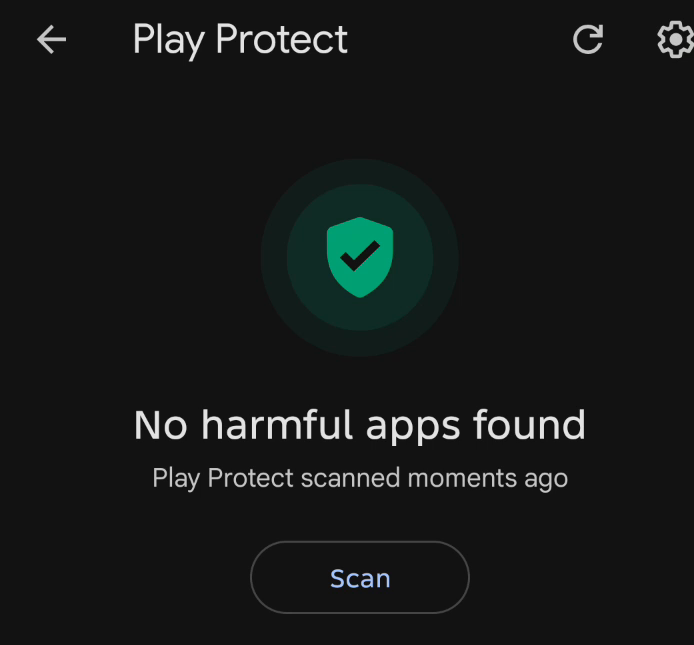
Checked by Google Play Protect
A Google Play Protect scan on our test phone on 21 October 2026 reported "No harmful apps found."
Abounding Love Radio
Listen to Abounding Love Radio on your Android phone, free. Version 1.6 keeps playing with the screen locked. Follow the same installation steps above.
Download the Radio appYour privacy
The Ablove app needs no account and asks for no personal details. The app itself contains no analytics or advertising software. Hosting and streaming providers receive connection information such as your IP address to deliver the app and media. The web version saves its own app files on your device so it opens faster. YouTube players are provided by YouTube, which may show ads and handles data under YouTube's own privacy policy. Buttons such as Social, book shops and other websites open in your browser and follow those sites' own policies; Ablove Social has its own optional member account, separate from this app.
Installation help
If anything is unclear while installing, write to [email protected] and we will help you.